
Settings
Conversations and translation
Choose whether new conversations start with your AI Agent or a staff member, and set the handoff message language and widget texts.
These settings control how conversations start and which texts customers see. On Conversation Modes (أوضاع المحادثة) you decide who replies first to every new conversation; on Translation (الترجمة) you choose the language of handoff messages and edit the widget's texts.
The Settings tab bar
Settings (الإعدادات) has eleven tabs. This page covers Conversation Modes and Translation. The other tabs are on General settings (General, Info, User Data, Instructions), Calls and voice (Calls, IVR Menu, Agent Voice, Call Staff) and Dialect (Dialect).
How to open it
In the sidebar, open AI Agent Setup (إعداد الموظف), then Settings (الإعدادات), and choose Conversation Modes (أوضاع المحادثة) or Translation (الترجمة) in the tab bar.
Conversation Modes
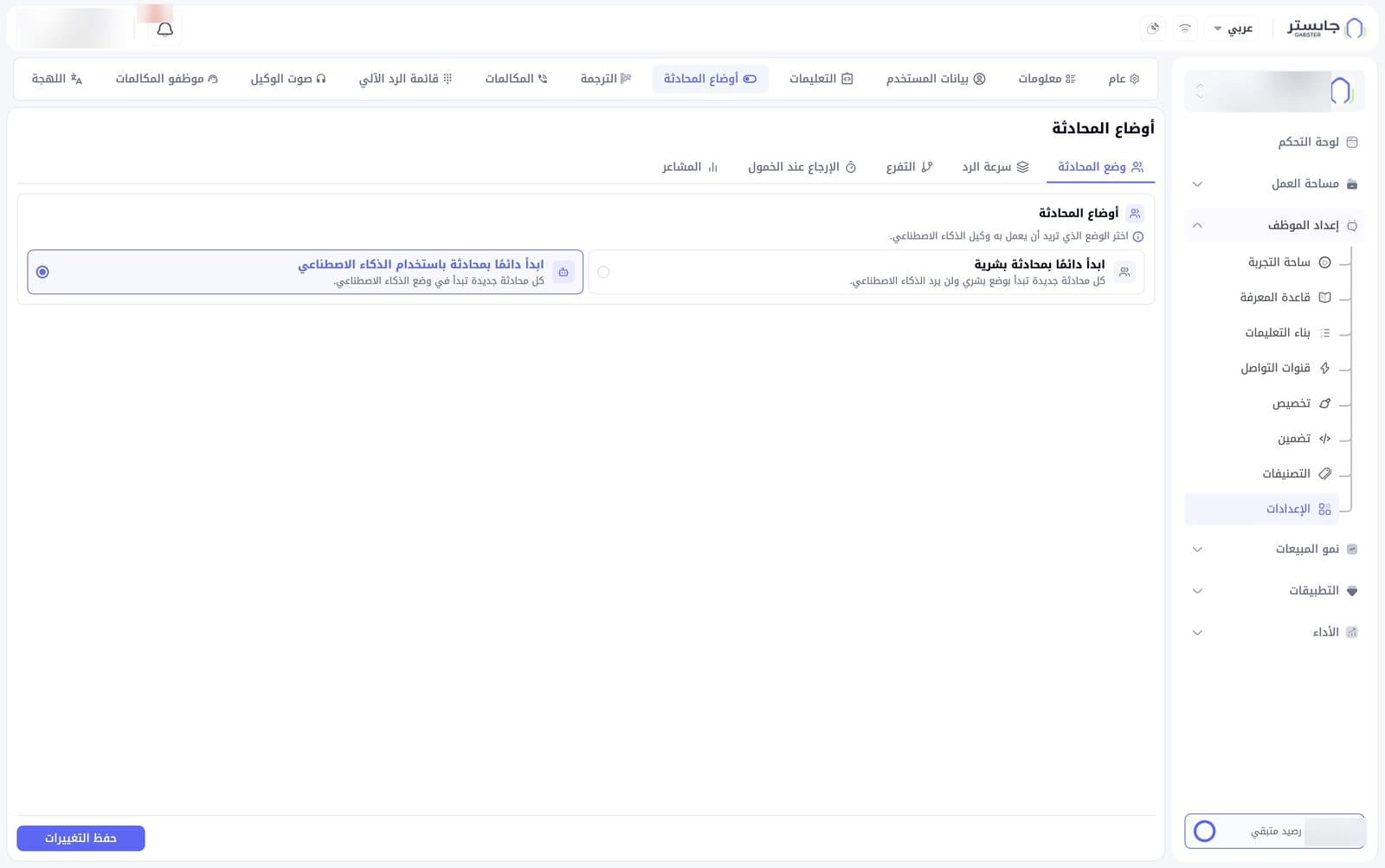
The tab has five sub-tabs: Conversation Mode (وضع المحادثة), Response Speed (سرعة الرد), Branching (التفرع), Return on Idle (الإرجاع عند الخمول) and Sentiment (المشاعر). Conversation Mode opens first.
Conversation Mode
Choose the mode every new conversation starts in:
| Option | Meaning |
|---|---|
| Always start with a human conversation (ابدأ دائمًا بمحادثة بشرية) | Every new conversation starts in human mode, and your AI Agent does not reply |
| Always start with an AI conversation (ابدأ دائمًا بمحادثة باستخدام الذكاء الاصطناعي) | Every new conversation starts in AI mode |
Then click Save changes (حفظ التغييرات).
Translation
Handoff message language
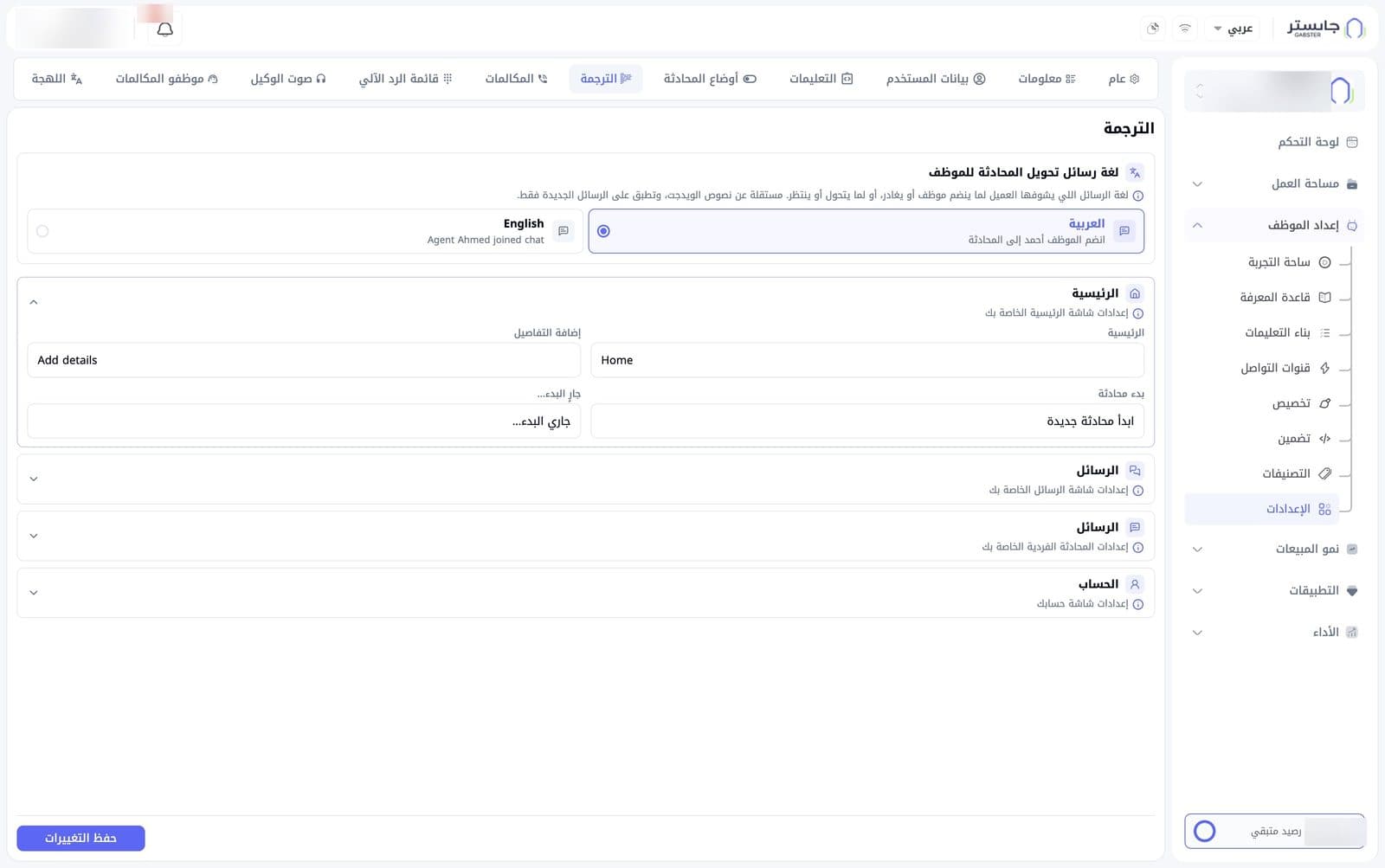
The Handoff message language (لغة رسائل تحويل المحادثة للموظف) is the language of the messages customers see when a staff member joins or leaves the conversation, or when the conversation is transferred or waiting. Choose Arabic (العربية) or English; each option shows a sample message.
This language is independent of the widget texts and applies to new messages only.
Widget texts
Below the language choice are collapsible sections, each grouping the texts of one widget screen:
| Section | Screen |
|---|---|
| Home (الرئيسية) | The widget's home screen |
| Messages (الرسائل) | The messages screen |
| Messages (الرسائل), single conversation | The screen of one conversation. It has the same title; tell it apart by the hint below it |
| Account (الحساب) | The account screen |
Click a section header to open it. Each section holds text fields; each field has a label and a text value you can edit. The Home section, for example, has the fields Home (الرئيسية), Add details (إضافة التفاصيل), Start a conversation (بدء محادثة) and Starting… (جارٍ البدء...).
Every box starts with default text, which is what visitors see until you change it. Don't leave a box empty. The Messages section has 6 fields, the single-conversation section 8 (including your AI Agent's display name and the texts for handing a chat to human support), Account 16 (email, name, phone and verification-code texts) and Home 4.
Click Save changes (حفظ التغييرات) to save the language and the texts.