Apps
Executive Reports
Read an AI-generated executive summary of your project's performance, with KPIs and recommendations, and share it by link.
Executive Reports (التقارير التنفيذية) give you an AI-generated summary of your project's performance over a week or a month. The report combines a written narrative and recommendations, KPIs compared with the previous period, and details on customers, tickets and channels.
How to open it
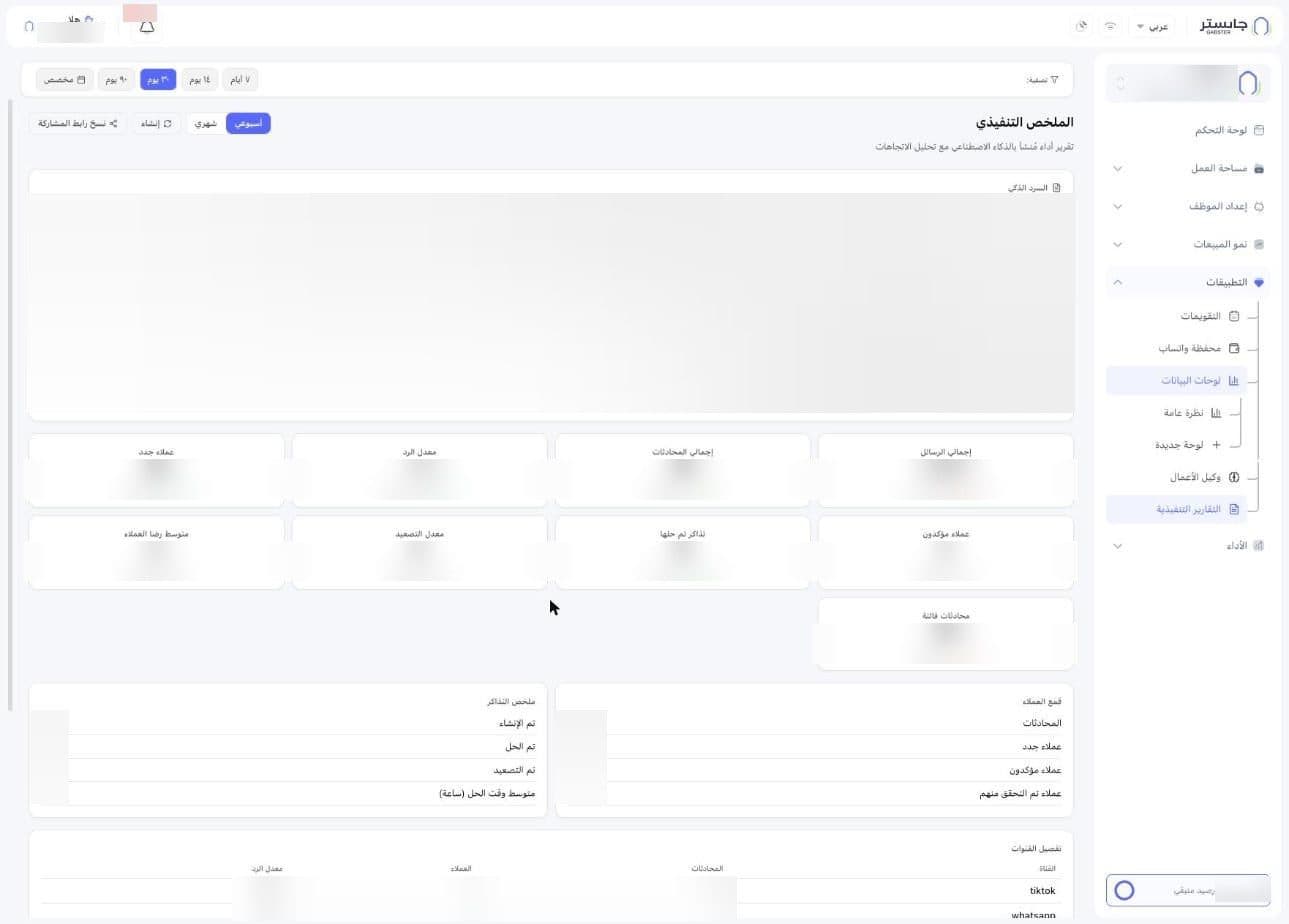
In the sidebar, open Apps (التطبيقات) and choose Executive Reports (التقارير التنفيذية). The page title reads Executive Summary (الملخص التنفيذي), with the subtitle "AI-generated performance report with trend analysis".
Report header
- The Filter (تصفية:) bar at the top holds the period chips: 7 days (٧ أيام), 14 days (١٤ يوم), 30 days (٣٠ يوم), 90 days (٩٠ يوم) or Custom (مخصص).
- Weekly (أسبوعي) / Monthly (شهري): a switch between the weekly and monthly report; Weekly is selected by default.
- Generate (إنشاء): a button with a refresh icon.
- Copy share link (نسخ رابط المشاركة): copy a link to the report to share it.
AI narrative
The AI narrative (السرد الذكي) card is written text summarising the period, ending with a numbered list of recommendations.
KPI cards
Each card shows the value, the direction and percentage of change, and the previous value after vs. (مقابل):
| Card | What it measures |
|---|---|
| Total messages (إجمالي الرسائل) | Number of messages |
| Total conversations (إجمالي المحادثات) | Number of conversations |
| Response rate (معدل الرد) | The response rate |
| New customers (عملاء جدد) | New customers |
| Confirmed customers (عملاء مؤكدون) | Confirmed customers |
| Resolved tickets (تذاكر تم حلها) | Tickets resolved |
| Escalation rate (معدل التصعيد) | The escalation rate |
| Average customer satisfaction (متوسط رضا العملاء) | Average customer rating out of 5 |
| Missed conversations (محادثات فائتة) | Missed conversations |
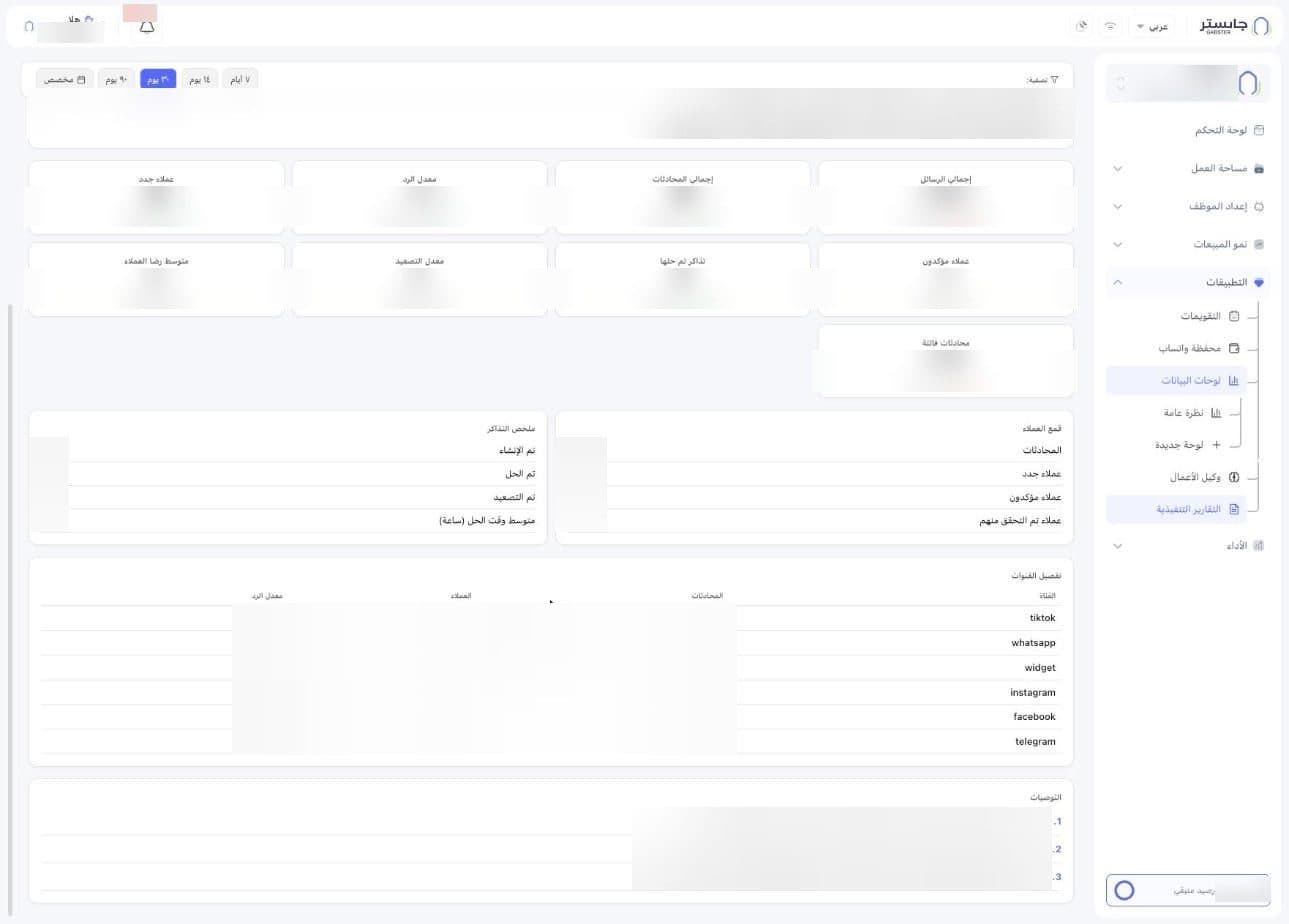
Customer funnel and ticket summary
- Customer funnel (قمع العملاء): counts of Conversations (المحادثات), New customers (عملاء جدد), Confirmed customers (عملاء مؤكدون) and Verified customers (عملاء تم التحقق منهم).
- Ticket summary (ملخص التذاكر): rows for Created (تم الإنشاء), Resolved (تم الحل), Escalated (تم التصعيد) and Average resolution time (hours) (متوسط وقت الحل (ساعة)), each with its value.
Channel breakdown and recommendations
The Channel breakdown (تفصيل القنوات) table shows, for each channel (such as WhatsApp, Instagram or the widget), its Conversations (المحادثات), Customers (العملاء) and Response rate (معدل الرد).
At the end of the page, the Recommendations (التوصيات) card lists the suggested next steps, the same ones given in the AI narrative.