
Apps
Business Agent
Ask about your account's data in plain language and get written answers and tables.
The Business Agent (وكيل الأعمال) is a chat assistant that works on your account's data. Type a question in plain language, such as how many tickets each staff member resolved, and it answers with text and tables.
How to open it
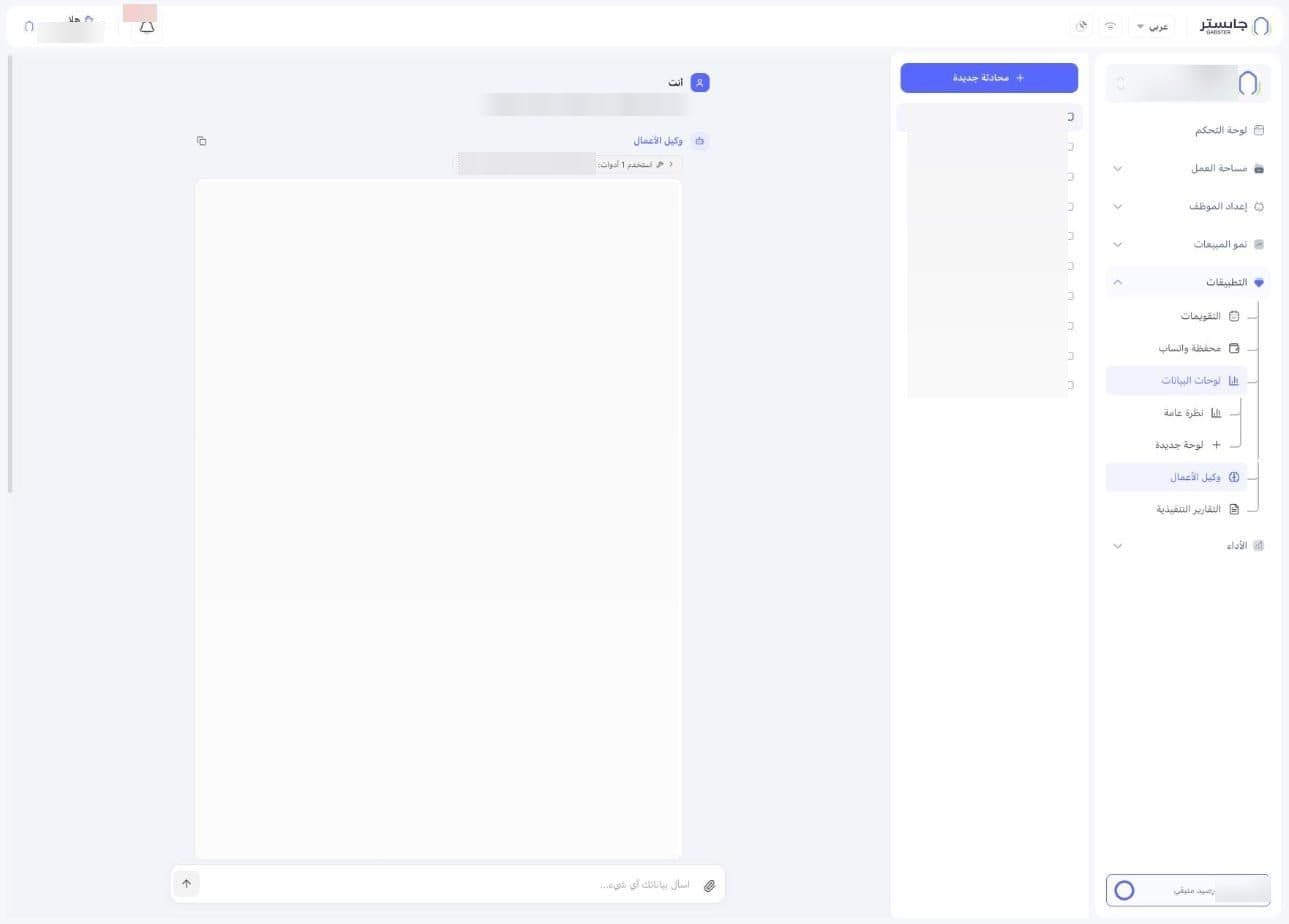
In the sidebar, open Apps (التطبيقات) and choose Business Agent (وكيل الأعمال).
Conversation list
The side of the page lists your past conversations with the Business Agent. Each one is titled with the start of its first question, and the open conversation is highlighted in bold.
At the top of the list is the New conversation (محادثة جديدة) button.
Message thread
Your questions appear as You (أنت) and the answers as Business Agent (وكيل الأعمال). Each answer comes with:
- A Used N tools (استخدم N أدوات) chip showing how many tools the Business Agent used to reach the answer, with an arrow next to it.
- A copy icon.
An answer can include an intro line, a table, a total line and a short conclusion.
Ask a question
- Type your question in the Ask your data anything… (اسأل بياناتك أي شيء...) box at the bottom of the page.
- Click the send button (the arrow). It stays grey while the box is empty.
Next to the box there is also a paperclip icon for attachments.
You can attach up to 10 files, each up to 20 MB: images (JPEG, PNG, GIF, WEBP), PDF, Word (.docx), TXT and CSV. The Business Agent looks at images and reads the text of documents to answer your question; scanned PDFs may give it no text to read.