
Getting started
Notifications
Follow new conversations and customer messages from the notification bell and the notifications center.
Notifications (الإشعارات) tell you about customer activity, such as a new conversation or a new message from your website or from WhatsApp, a new ticket or a request for a staff member. They arrive through the bell in the top bar, and you can open the full list to search and filter it.
Notification bell
How to open it
Click the bell icon in the top bar. The red badge on the bell shows how many notifications are unread, up to +99.
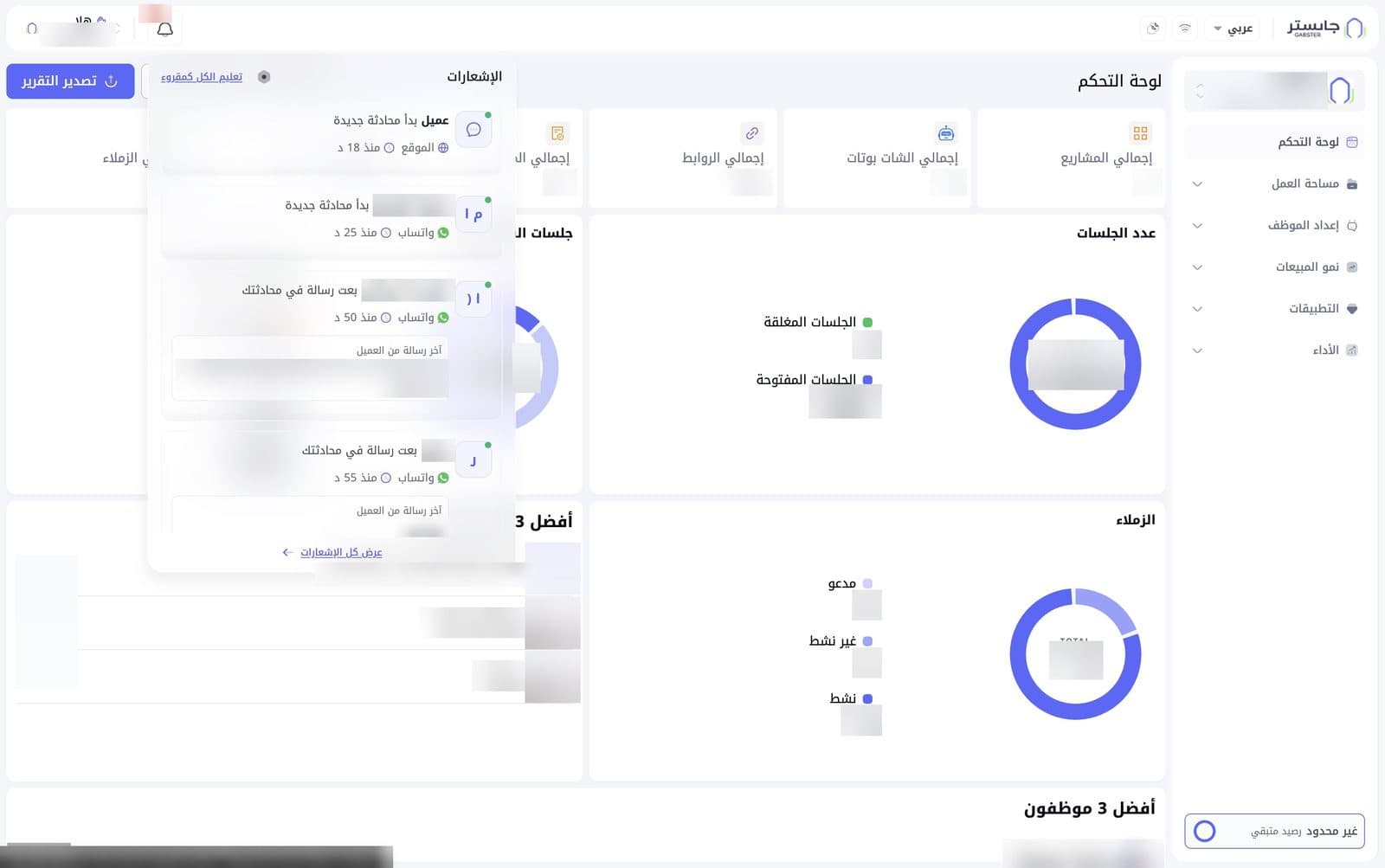
The dropdown
The dropdown shows your latest notifications, newest first; scroll to see more:
- Mark all as read (تعليم الكل كمقروء): mark every notification as read.
- A grey icon next to Mark all as read.
- View all notifications (عرض كل الإشعارات) at the bottom: open the full notifications center.
Notification card
Each notification is a card that shows:
- The customer's initials. A customer whose name is unknown appears as Customer (عميل) with a chat icon.
- A green dot on that icon when the notification is unread.
- The customer's name and what happened, e.g. started a new conversation (بدأ محادثة جديدة), sent a message in your conversation (بعت رسالة في محادثتك) or sent a message in a conversation with the AI (بعت رسالة في محادثة مع الذكاء الاصطناعي).
- The channel it came from, e.g. Website (الموقع) or WhatsApp (واتساب).
- The time, e.g. Now (الآن) or "18 min ago".
- For message notifications: a Customer's last message (آخر رسالة من العميل) box with the message text.
You follow up on and reply to these conversations in Customer Conversations.
What raises a notification
| Event | What you see |
|---|---|
| A new conversation starts in your website chat | A notification at the top of the screen: New conversation from … (محادثة جديدة من …) |
| A customer sends a message | A notification at the top of the screen: New message from … (رسالة جديدة من …) |
| Your AI Agent opens a ticket | A notification at the top of the screen: New ticket: Ticket #… (تذكرة جديدة: Ticket #…). In the bell it reads New ticket for customer (تذكرة جديدة لـ عميل) with the ticket number |
| Your AI Agent hands a conversation to your team | Human support request (طلب دعم بشري) |
After «من» comes the customer's name. A website visitor whose name isn't saved shows as Client.
Notifications center
The Notifications (الإشعارات) center shows the full list in a large window and adds search and filters.
How to open it
Click the bell in the top bar, then View all notifications (عرض كل الإشعارات).
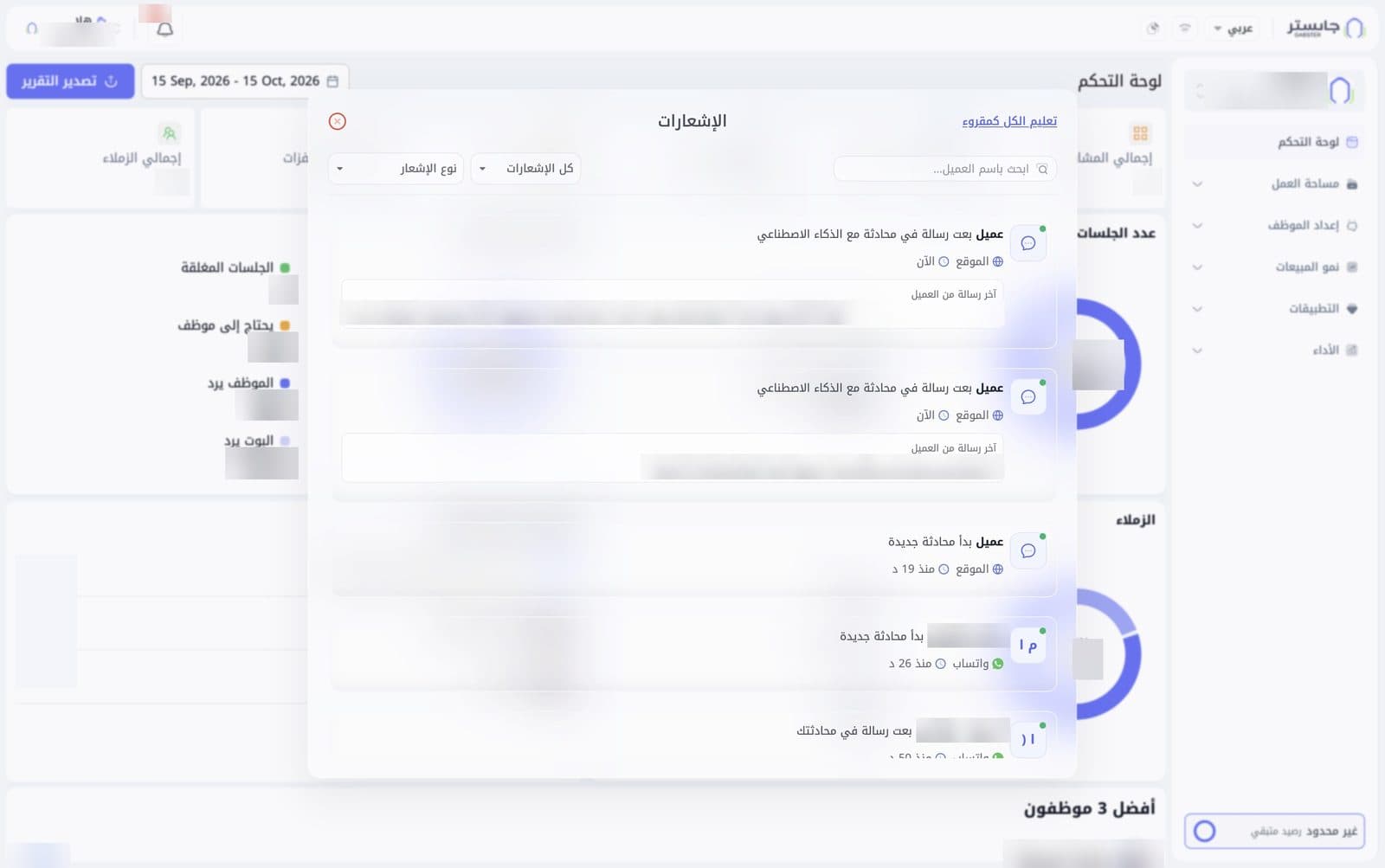
Search and filters
- Search by customer name (ابحث باسم العميل...): type a customer's name to find their notifications.
- All notifications (كل الإشعارات): choose which notification status to show.
- Notification type (نوع الإشعار): choose which kind of notifications to show.
List and window controls
- Cards look the same as in the dropdown, newest first, and the list scrolls.
- Mark all as read (تعليم الكل كمقروء) at the top of the window: mark every notification as read.
- The red close button in the left corner: closes the window.
To follow one customer quickly, search for their name in the notifications center instead of scrolling the list.